 云南知能科技有限公司
hermes

hermes
Hermes Agent 是由 Nous Research 开发的开源 AI 智能体,支持对接任意 OpenAI 兼容接口。
安装 Hermes Agent
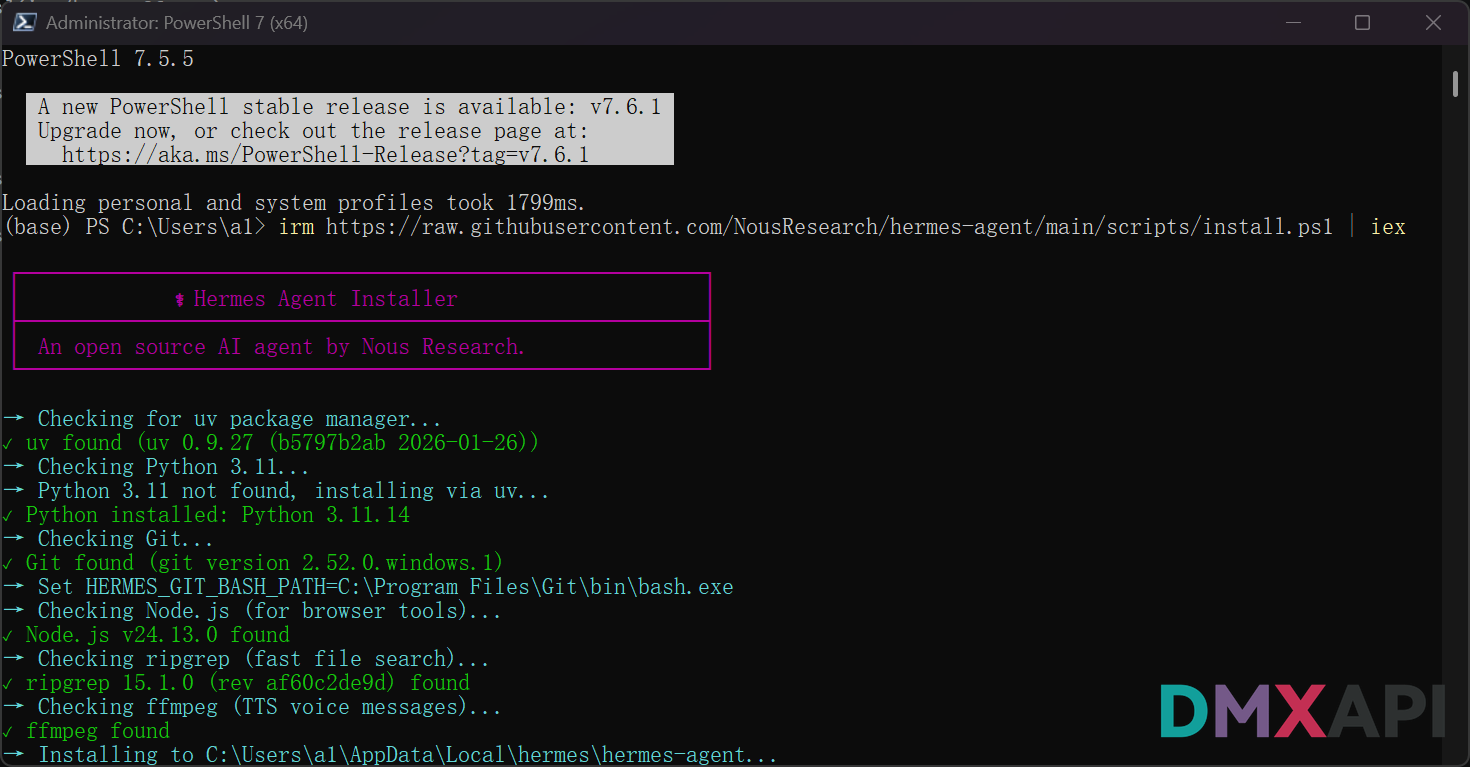
Windows:管理员身份运行 PowerShell,输入以下指令:
irm https://raw.githubusercontent.com/NousResearch/hermes-agent/main/scripts/install.ps1 | iexLinux / macOS / WSL2:在终端(Terminal)中输入以下命令:
curl -fsSL https://raw.githubusercontent.com/NousResearch/hermes-agent/main/scripts/install.sh | bash脚本会自动检测并安装所需依赖
配置 Hermes Agent
安装完成后,打开命令行(无需管理员权限),运行:
hermes setup进入 Hermes Agent Setup Wizard 配置向导。
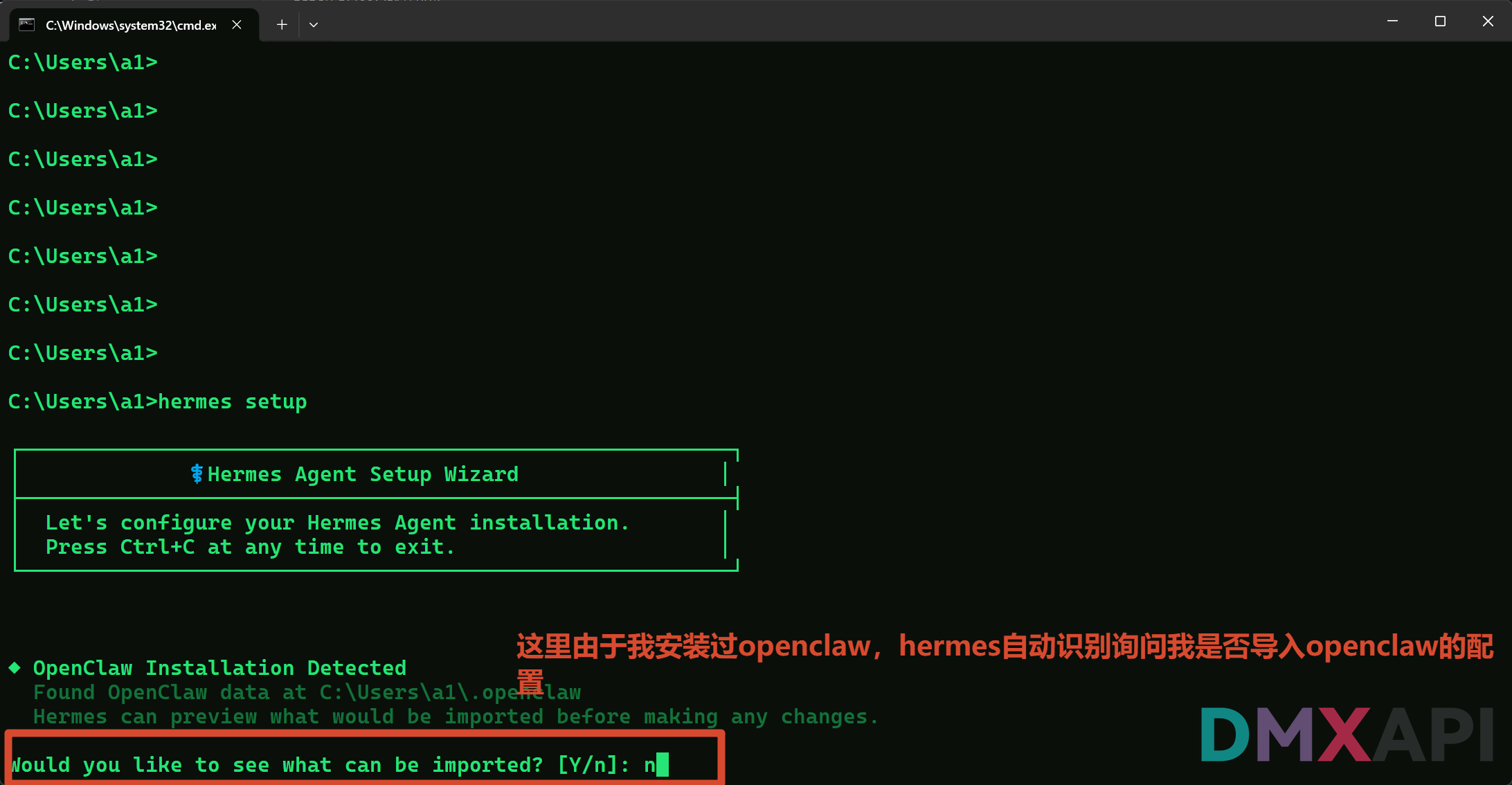
如果本机曾安装过 OpenClaw,Hermes 会自动检测并询问是否导入配置,输入
n跳过即可。
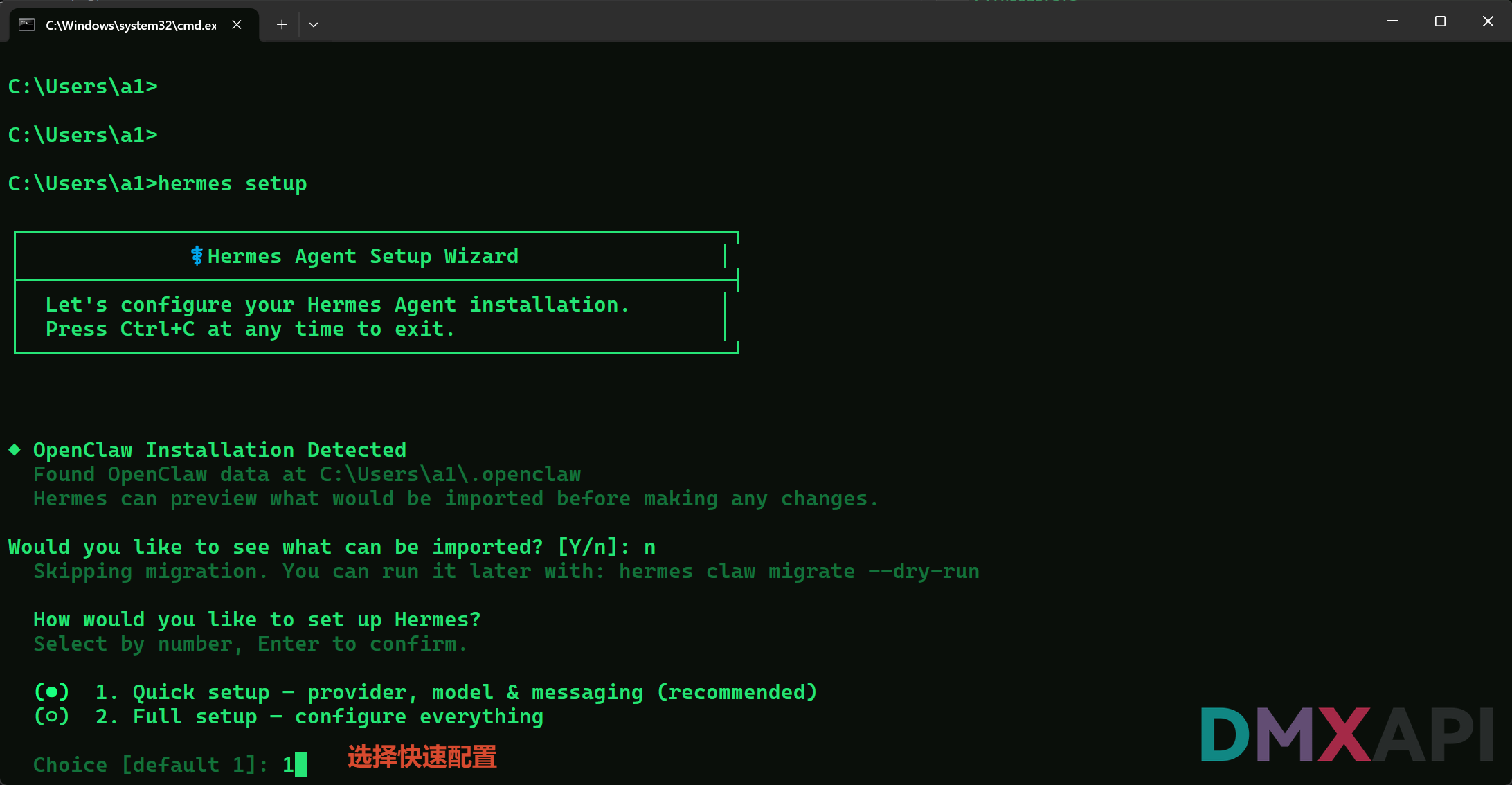
第一步:选择配置模式
选择 1(Quick setup) 快速配置,按回车确认。
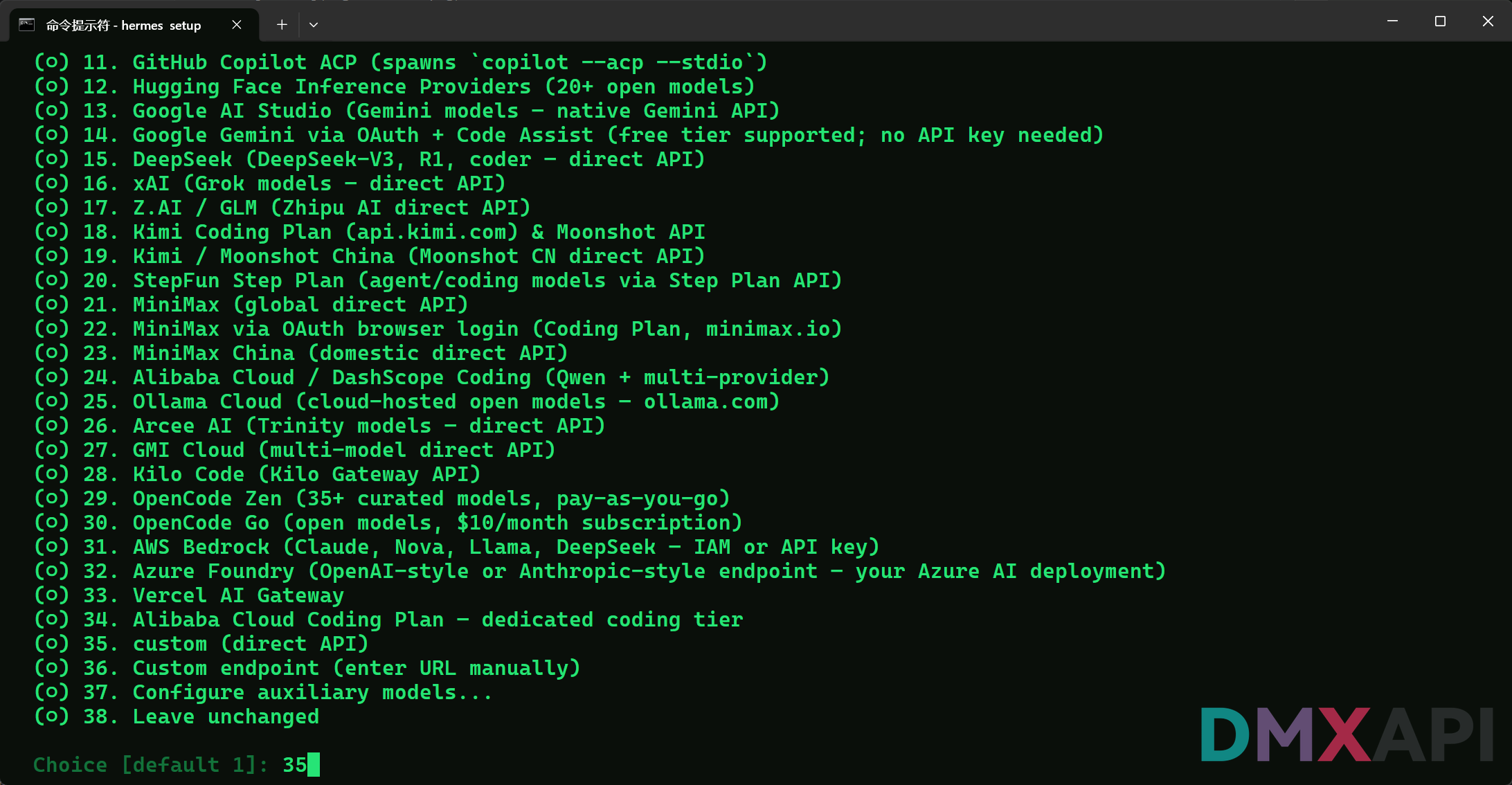
第二步:选择 AI 提供商
在提供商列表中选择 35(custom - direct API),使用自定义 OpenAI 兼容接口。
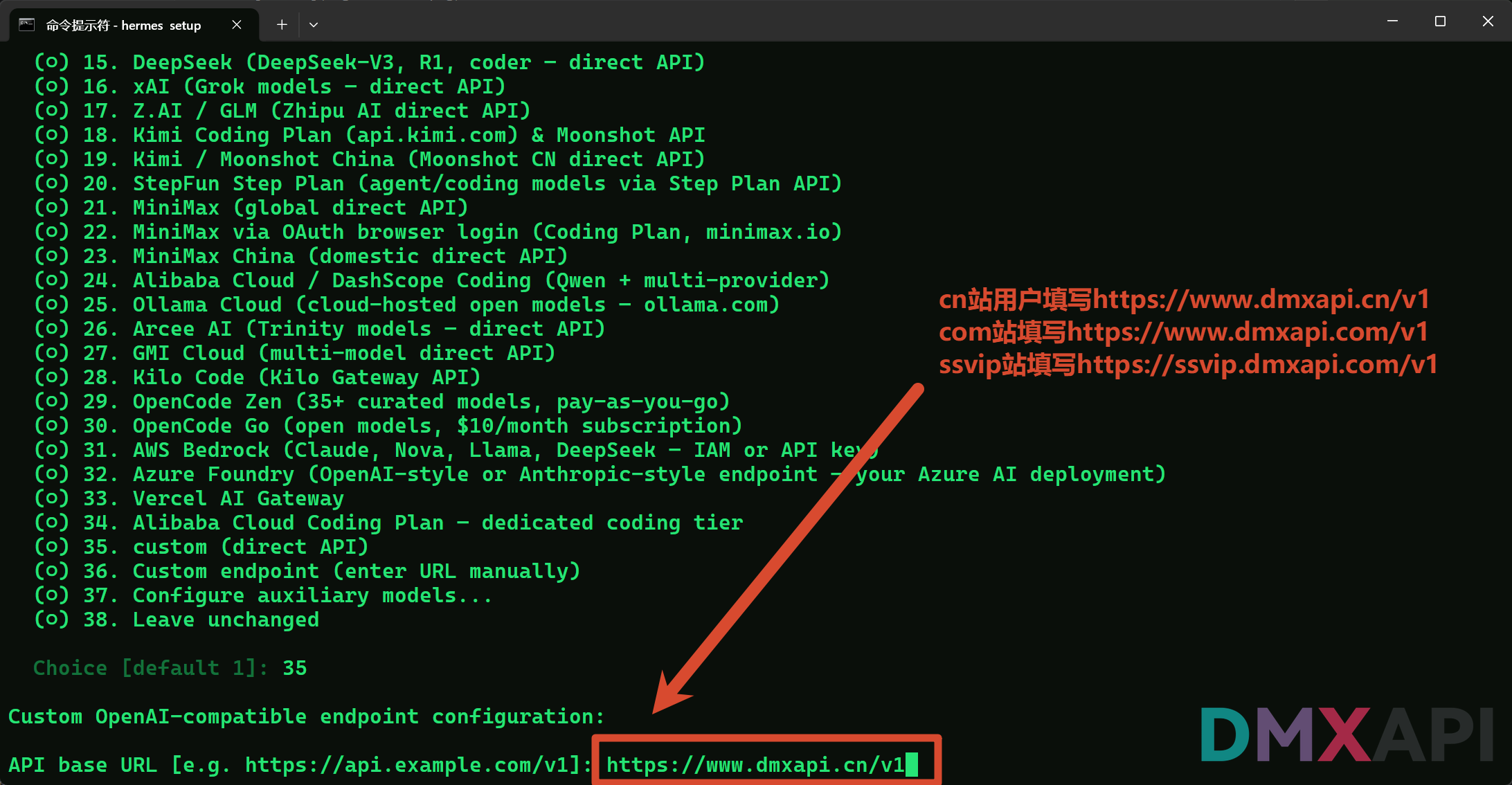
第三步:填写 API Base URL
接口地址填写:https://api.apexrouter.top/v1
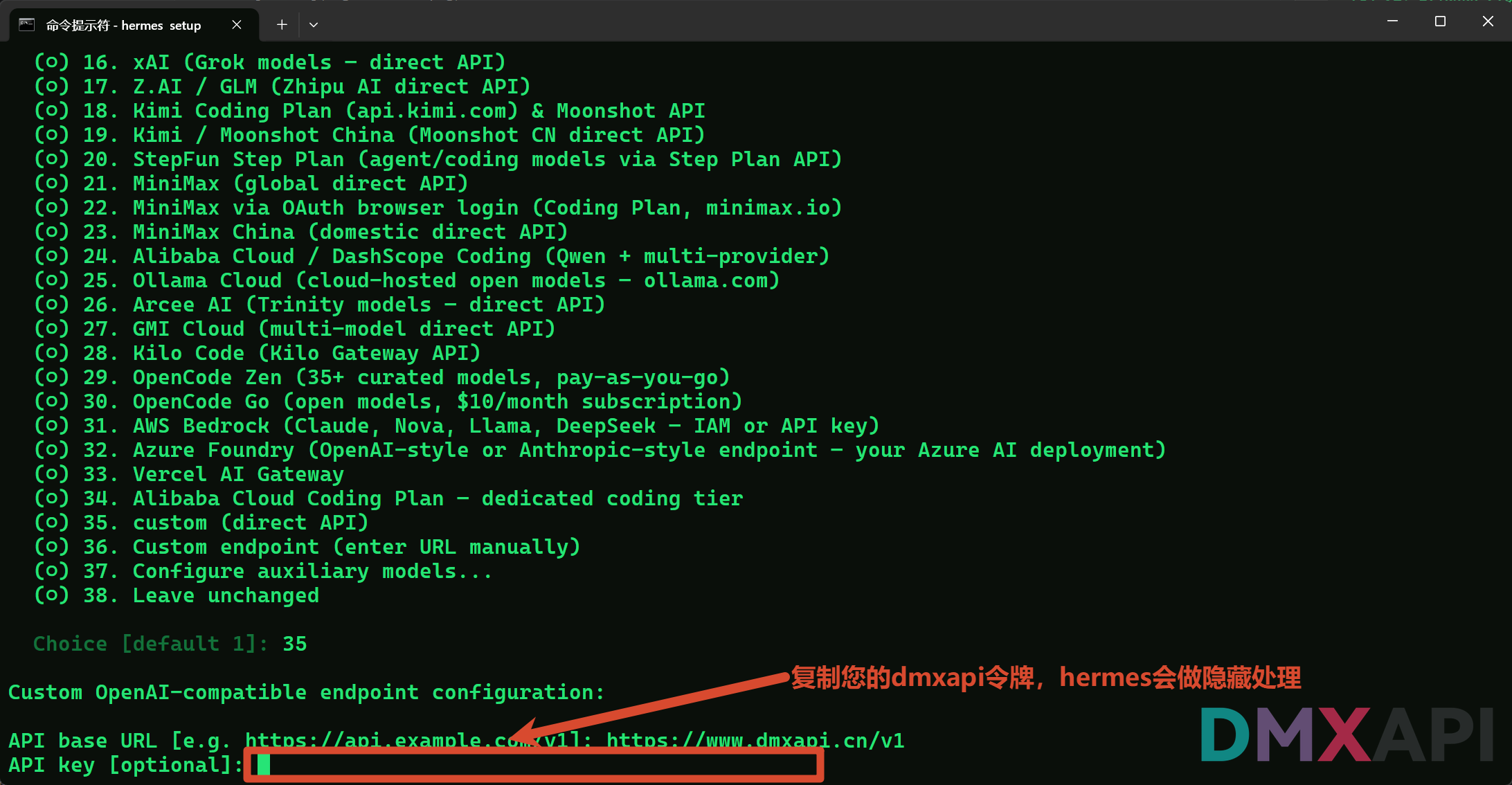
第四步:填写 API Key
将您的 知能API 令牌粘贴到 API key 字段,Hermes 会自动隐藏显示。
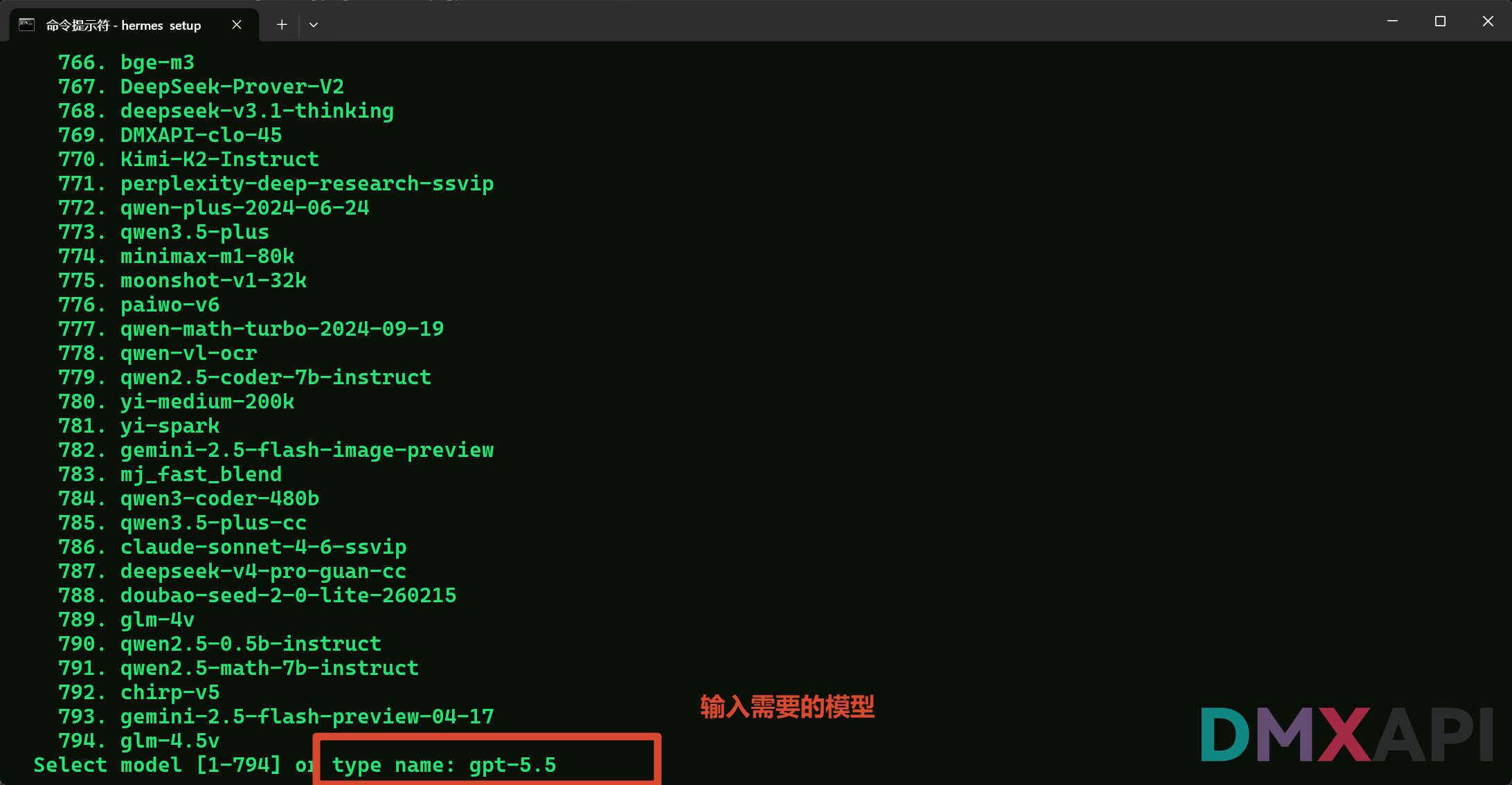
第五步:选择模型
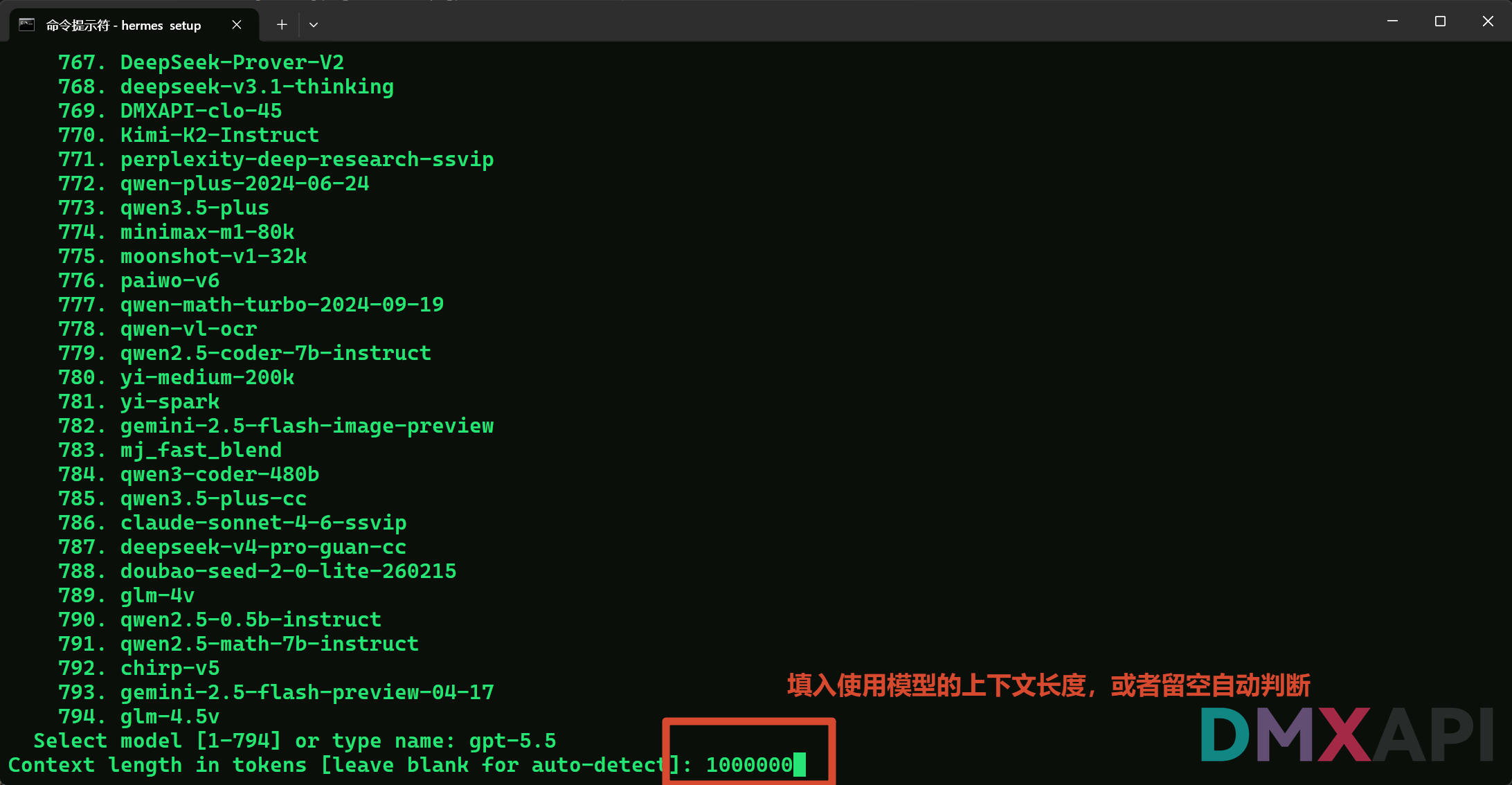
在模型列表中输入您需要使用的模型名称,例如 gpt-5.5。
第六步:设置上下文长度
填写模型支持的上下文长度(token 数),或直接回车留空让 Hermes 自动检测。
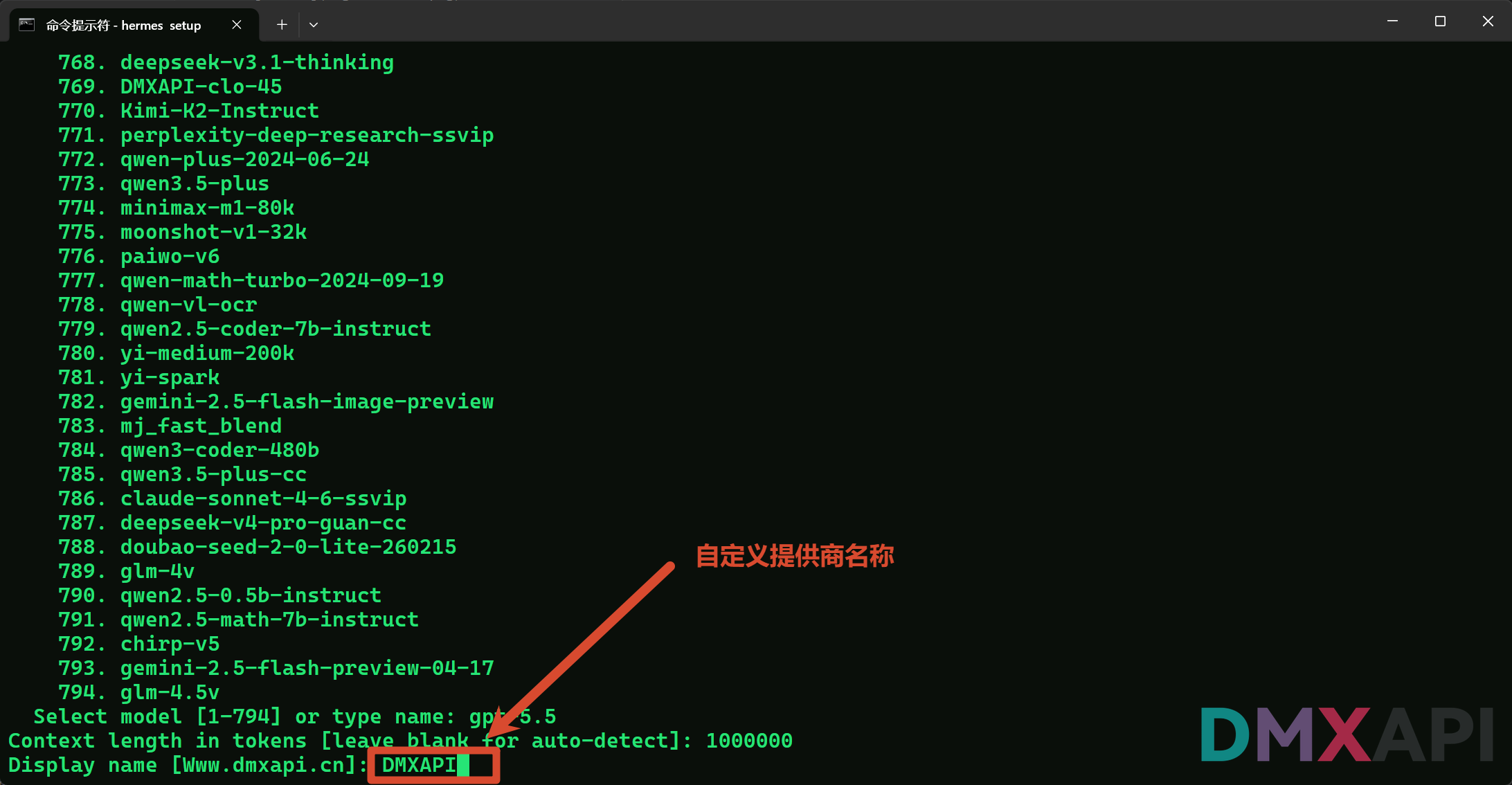
第七步:自定义提供商名称
为该配置起一个名称,例如 知能API,方便后续识别。
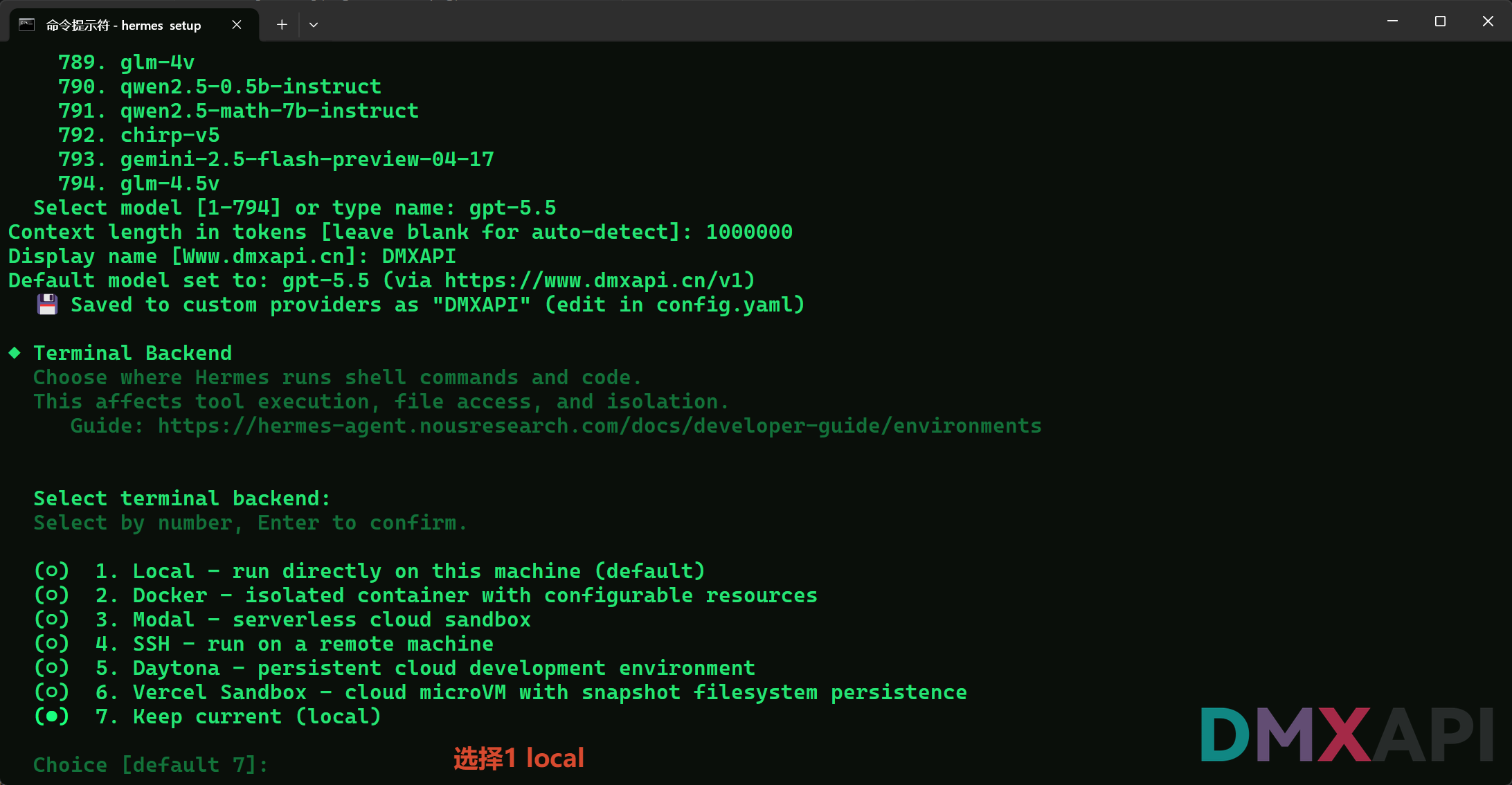
第八步:选择终端后端
选择 1(Local) 在本机直接运行。
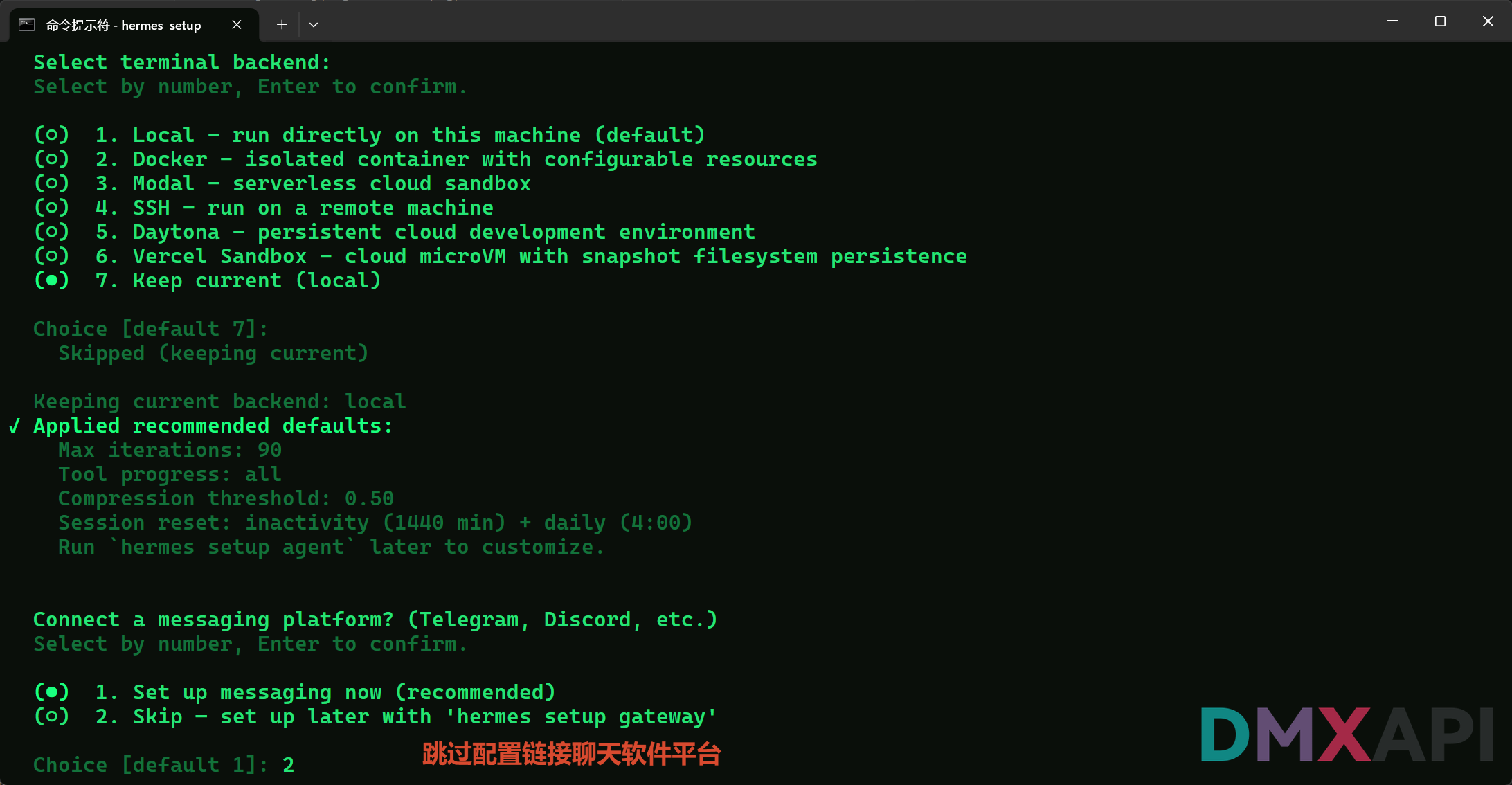
第九步:跳过消息平台配置
选择 2(Skip) 跳过 Telegram / Discord 等聊天平台的绑定,后续可通过 hermes setup gateway 单独配置。
开始使用
Hi! What can I help you with today?直接在提示符下输入您的问题或任务即可开始使用。